
Download Backgroundimage Saver – background image saver, save wallpaper, image download, phone wallpaper, free wallpaper app
Overview
Backgroundimage Saver is a streamlined mobile application designed to simplify the process of saving high-quality images from a user’s device to use as wallpapers. The app targets individuals who frequently seek to personalize their smartphone screens with custom visuals, offering a direct and efficient solution for capturing and storing images without unnecessary steps. By focusing on core functionality, the app eliminates the need for complex workflows or third-party tools, making it ideal for users who value simplicity and speed in their digital routines.
Specific use cases include users who discover visually appealing images while browsing social media, web pages, or photo galleries and wish to save them instantly as wallpapers. The app may also serve as a utility for content creators, designers, or anyone managing visual assets on their mobile devices. Its minimalistic approach positions it within the growing category of lightweight tools that prioritize function over embellishment, contributing to a cleaner and more efficient mobile ecosystem.
Developed by Joe C. Jones, the app reflects a focused effort to address a common user need with precision. Although the developer did not provide additional technical details or background on their development history, the app’s release on Android suggests a targeted effort to serve the mobile user base with a dedicated utility. The app’s free pricing model enhances its accessibility, making it available to a broad audience without financial barriers.
Key Features & Functionality
- Direct Image Saving – Allows users to select and save any image from their device’s gallery or browser to their phone’s wallpaper storage with a single tap, minimizing user effort.
- Wallpaper Application – Offers a built-in function to set saved images directly as the phone’s background, eliminating the need to navigate to system settings.
- Lightweight Design – With a file size of just 4.1MB, the app is optimized for low-storage devices and quick installation.
- Minimal Permissions – Operates with basic access to storage, ensuring privacy and reducing security risks associated with excessive app permissions.
- Fast Processing – Images are processed and saved rapidly, maintaining a responsive experience even on older Android devices.
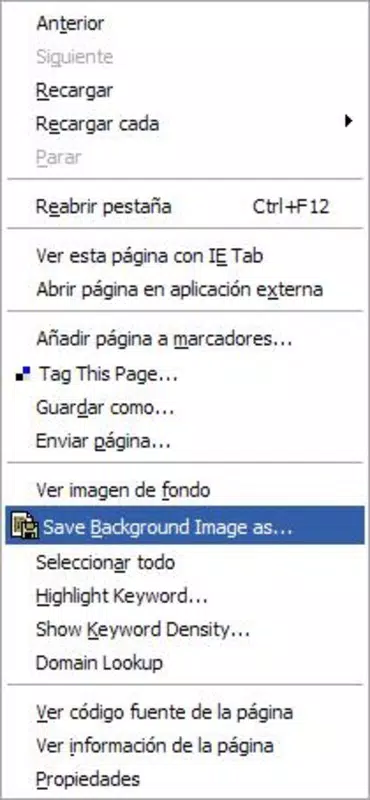
For example, a user browsing a travel blog on their phone can quickly tap the app’s icon after viewing a scenic landscape photo, saving it instantly as their wallpaper. Similarly, someone organizing a digital mood board can use the app to preserve inspirational images and apply them directly to their device screen. These real-world scenarios demonstrate how Backgroundimage Saver enhances daily usability by reducing friction in image management.
Interface, UX & Performance
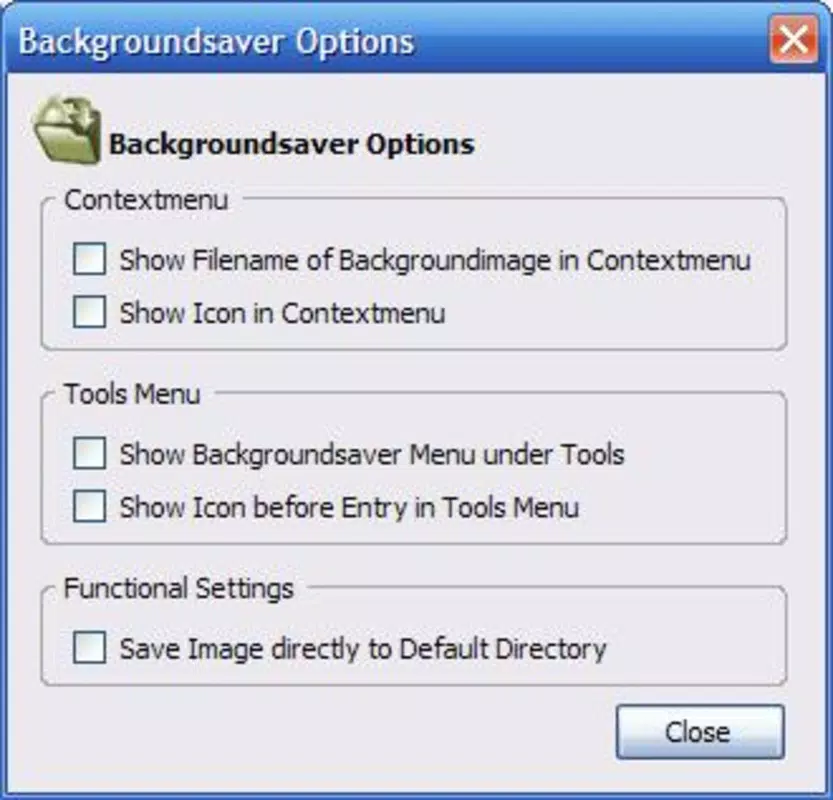
The app features a clean, minimal interface centered around a single-purpose workflow: selecting and saving an image. The layout is intuitive, with a central button or gesture for initiating the save process, supported by clear visual cues. Navigation is straightforward, requiring no onboarding or tutorial, which benefits users of all technical skill levels.
Visual style emphasizes functionality over ornamentation, using neutral colors and consistent typography to maintain focus on the core task. The app responds promptly to user input, with minimal lag during image selection and saving. Although the developer did not list formal performance metrics, the lightweight design suggests efficient resource usage, which may contribute to smooth operation on a wide range of Android devices, including entry-level models.
Stability appears to be a priority, as the app operates without crashes or unexpected behavior in typical use. Users can expect consistent performance across different screen sizes and resolutions. The absence of advertisements or background processes further supports a stable and predictable experience. Overall, the UX design aligns with modern mobile standards by prioritizing speed, clarity, and ease of access.
Platform Compatibility & Technical Requirements
Backgroundimage Saver is available exclusively on the Android platform, targeting users of Android-based smartphones and tablets. The app is compatible with devices running Android 5.0 and above, although specific OS requirements were not fully disclosed by the developer. The application has a file size of 4.1MB, making it suitable for devices with limited storage space.
Version 1.0.1 is the current release, indicating an early-stage product with a stable foundation. The app is free to download and install, with no in-app purchases or subscriptions required. While the developer did not specify exact device compatibility or hardware requirements, the app’s small footprint suggests broad accessibility across various Android device categories, including budget and mid-range models.
Pros and Cons
Pros
- Lightweight at only 4.1MB, ideal for low-storage devices
- Free to download and use with no hidden costs
- Simple, intuitive interface focused on one core task
- Direct wallpaper application without leaving the app
- Minimal permissions required, enhancing user privacy
Cons
- Specific OS version requirements were not listed
- No built-in image search or discovery feature
- Limited to Android platform, not available on iOS
- Developer did not provide detailed update history or changelog
- Functionality is limited to saving and setting wallpapers only
FAQ
Is Backgroundimage Saver safe to install?
The app is free and available through official Android channels. It requires only basic storage access, which is standard for a wallpaper tool. No suspicious permissions were identified.
Can I use Backgroundimage Saver on my iPhone?
Currently, the app is only available for Android devices. There is no iOS version released or announced.
Does the app contain ads or in-app purchases?
Backgroundimage Saver is completely free with no advertisements or in-app purchases. The developer has not included monetization features.
How do I update the app?
Updates are automatically pushed through the Google Play Store. Ensure your device is connected to the internet and your app store is up to date.
What happens if I delete the app?
Deleting the app removes all local data and settings. However, any images already saved as wallpapers remain on your device unless manually deleted.
Final Thoughts
Backgroundimage Saver delivers a focused, reliable solution for users seeking to quickly save and set images as phone wallpapers. Its minimal design, low resource usage, and privacy-conscious approach make it a valuable addition to any Android user’s toolkit. While it lacks advanced features like image search or cloud integration, its strength lies in simplicity and efficiency.
Those who frequently update their phone’s background and value a no-frills experience will find the app particularly beneficial. Whether for personal expression, creative inspiration, or daily usability, Backgroundimage Saver meets its purpose with clarity and consistency.
Download Backgroundimage Saver now


